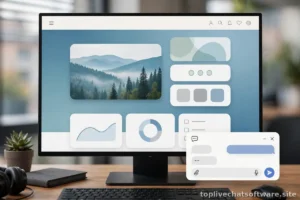
Proactive chat — the message that appears before the visitor asks for help — is the highest-leverage and highest-risk feature in live chat software. Done well, it catches people at the exact moment of hesitation and starts conversations that would never have happened. Done badly, it is a popup with better branding: interrupting readers, covering content, and training visitors to close your chat on sight.
The difference is not the technology. Every major platform supports time-on-page triggers, exit intent, scroll depth, and page targeting — most vendors document the exact setup in their help centers (see, for example, the Intercom help center). The difference is discipline: which triggers you run, what the messages say, and — most importantly — what you refuse to do. This is a playbook for proactive chat that helps without annoying.
The Rules of Non-Annoying Triggers
Before you write a single message, commit to these five rules. They are the entire philosophy; everything below is implementation detail.
- Trigger on intent, not on arrival. A visitor who has spent 60 seconds on your pricing page is showing intent. A visitor who landed three seconds ago is showing nothing. Never trigger on page load.
- One message per session, maximum. If a visitor dismisses your proactive message, that is an answer. Do not show them another one five minutes later, and do not show the same one again tomorrow. Set a cooldown of at least 7 days after a dismissal.
- Never block content. The message should appear as a small teaser near the widget, not as a centered panel covering what the visitor was reading. On mobile, never auto-expand — a badge or subtle pulse on the launcher is the limit.
- Offer something specific. “Need help?” is a question the visitor has already answered by not clicking your widget. Reference the page, the moment, or the likely question: pricing pages get pricing help, docs pages get troubleshooting help.
- Respect the clock. Do not fire proactive triggers outside your staffed hours unless a bot or a clear offline path handles the reply. A proactive invitation that leads to “we’ll get back to you eventually” is a broken promise you initiated.
The Trigger Playbook: Eight Messages You Can Steal
Each trigger below includes the setup (when it fires, where, and the cap) and copy you can adapt. They are written for a generic B2B product — swap in your own specifics.
1. The pricing-page check-in
Fires: 45–60 seconds on the pricing page, once per visitor per week.
Why it works: pricing pages are where “does this fit my budget and my team?” questions peak.
Comparing plans? I can help you figure out which one fits a team of your size — what are you hoping to use us for?
2. The returning visitor nudge
Fires: second visit to pricing or product pages within 7 days, after 30 seconds.
Why it works: return visits signal an unresolved question from last time.
Welcome back! Still weighing things up? Happy to answer anything that came up since your last visit.
3. The documentation rescue
Fires: 90 seconds on a help article, or a second article viewed in one session.
Why it works: someone reading docs at length is stuck; offering a human is a relief, not an interruption.
Working through this guide? If something isn’t clicking, I can walk you through it live.
4. The signup-page hesitation
Fires: 60 seconds idle on the signup or trial page.
Why it works: hesitation here is usually one specific fear — credit card requirements, data migration, or “will this actually work for us?”
Questions before you start your trial? No credit card needed, and setup takes about five minutes — ask me anything.
5. The exit-intent save (desktop only)
Fires: mouse movement toward the browser chrome on pricing or checkout pages, once per session.
Why it works: it is your last chance to address the objection — but keep it light, since the visitor is already leaving.
Leaving so soon? If price is the question, tell me your use case — there might be a plan fit you haven’t seen.
6. The failed-search catch
Fires: site search returns no results, or the visitor searches three times in one session.
Why it works: repeated searching is a clear distress signal your content failed to resolve.
Couldn’t find what you were looking for? Tell me what you need — I’ll point you to the right place or answer directly.
7. The cart-page pause (ecommerce)
Fires: 45 seconds idle on the cart or checkout page.
Why it works: idle time at checkout usually means a last-minute doubt about shipping, returns, or payment options.
Almost there! Quick question about shipping, returns, or payment? I’m here if anything’s unclear.
8. The post-purchase welcome
Fires: first login after signup or purchase, once ever.
Why it works: new customers have the highest question density of any segment, and early help prevents early churn.
Welcome aboard! I’m here if you hit any snags getting set up — most people are running in under ten minutes.

Messages That Convert vs Messages That Get Closed
The examples above share a structure worth naming. Compare:
| Gets closed | Gets answered | Why |
|---|---|---|
| “Need help?” | “Comparing plans? I can help you pick the right one.” | Specific context beats a generic offer |
| “Hi! How can I help you today? 😊” | “Working through this setup guide? I can walk you through step 3.” | References what the visitor is actually doing |
| “Don’t leave! Here’s 10% off!” | “Leaving so soon? If price is the question, tell me your use case.” | Opens a conversation instead of bribing one |
| “Our team is standing by!” | “Questions before your trial? Setup takes about five minutes.” | Removes a specific fear instead of stating availability |
| “Welcome to our website!” | (nothing — no trigger on the homepage) | Some pages earn silence; the homepage is one of them |
The pattern: reference the page, name the likely question, and make replying feel easier than ignoring. Every message should pass the “would I answer this?” test from the visitor’s side of the screen.
Who Sees Your Triggers
Not every visitor deserves the same message. Basic segmentation multiplies relevance without much extra work:
- New vs returning: first-time visitors get orientation (“here’s how this works”); return visitors get continuity (“still deciding?”). Most platforms track this automatically.
- Traffic source: visitors from a review site or comparison article arrive with different questions than direct traffic. If your platform supports UTM-based targeting, write one variant for high-intent sources.
- Geography and language: match the message language to the visitor’s locale, and suppress triggers entirely in regions where you cannot staff replies in the local language.
- Existing customers: never show pre-sale triggers to logged-in customers — nothing says “we don’t know you” like offering a trial discount to someone paying full price. Suppress all acquisition triggers for authenticated users.
Frequency Caps and Quiet Hours
Caps are the guardrails that keep a good trigger program from degrading into spam as you add more triggers over time. Set these globally, above any individual trigger’s settings:
- One proactive message per session. Whichever trigger fires first wins; the rest stay quiet until the next visit.
- Seven-day cooldown after dismissal. A closed message means “not now” at best — honor it for a full week.
- No triggers in the first 20 seconds of any visit, no matter the page. Let people orient themselves.
- Quiet hours outside staffing. If nobody is online to reply within a couple of minutes, proactive messages stay off. An offline fallback form is fine for visitors who seek you out; it is not fine as the payoff for an invitation you pushed at them.
- Cap by page depth. Suppress triggers on pages more than three clicks from conversion-relevant content — deep blog archives and legal pages do not need them.
When to Turn Triggers Off Entirely
Sometimes the right number of proactive messages is zero. Disable all triggers during these periods, no exceptions:
- When staffing cannot keep up. A traffic spike, a product launch, or an outage means agents are already at capacity. Proactive messages that invite more conversations into an overloaded queue create the worst possible impression — you solicited the chat and then made people wait.
- During sensitive announcements. Price increases, downtime notices, or policy changes are moments for clear, static communication — not for a cheerful bubble asking “Need help?” Let visitors read in peace.
- When you have no one to answer in the visitor’s language. A trigger in English on a Spanish-language page, answered by an English-only agent, is worse than silence. Suppress triggers wherever language coverage does not match.
- For the first week after any major site change. New navigation, new checkout, new pricing page — your old triggers were tuned to the old layout. Pause them, re-test placement and timing against the new pages, then re-enable one at a time.
Build a simple kill-switch into your process: one named person who can pause all proactive messaging in under a minute, and a standing rule that they do so whenever the queue wait exceeds your target for more than fifteen minutes. Triggers are an amplifier — they amplify good staffing and bad staffing alike.
Measure, Then Prune Ruthlessly
Every trigger should earn its place with data. For each one, track: how often it displays, what share of displays get a reply, and what share of those replies turn into a resolved conversation or a conversion. A trigger with a high display count and a near-zero reply rate is not “building awareness” — it is wallpaper that occasionally annoys someone. Kill it.
Review the full set monthly. Teams usually find that two or three triggers do almost all the work and the rest can be retired. That is a healthy outcome. And when a trigger hands off to a human, make sure the handoff itself is smooth — our guide to chatbot-to-human handoff covers the escalation patterns that keep proactive conversations from dying at the transfer. For the placement side of the same problem — where the widget lives when these messages appear — see where to place your chat widget.
Conclusion
Proactive chat works when it behaves like a good shop assistant: it notices you lingering, offers relevant help once, and backs off gracefully if you decline. Fire on intent rather than arrival, cap ruthlessly, write messages that reference the moment, and prune anything the data does not support. Do that, and your triggers will start conversations visitors are glad to have — instead of popups they are glad to close.